Torrenting has maybe become a thing of the past to some. Something people did before streaming services and 'streaming sites'. While I do enjoy that some things are easy to film and watch, you have no guarantee that it's gonna be around for a long time. Even on official services shows can get removed off the platform like unpopular produce gets taken off the shelf's in the supermarket.
For this guide we'll be looking at 2 different programs, qBittorrent for Windows and Transmission for Linux. These programs fulfill the same function and much of their UI is the same, so I will note when something is an exclusive function or both programs do a thing or 2 differently then the other.
Installing the Torrent Program
For Windows and qBittorrent, you can visit the site here and head to it's download section. Linux (Mint) users will have Transmission on their machine by default and can simply start it up from their menu.
The Windows installer is nice and generic, simply point it to the folder you want it in or leave it at it's defaults.
You'll need to do some searching yourself for torrents. Maybe you want some soundtracks and albums to help replace your Spotify! Quick internet searches can often find you alright lists of sites or you can look around Free Media Heck yeah. You can go into your settings and add Trackers you can search through. This is basically your program compiling a list of the torrents on those sites for your to browse easily.
These will be small files that are an index of what files it will download. Imagine it like a Zip file, but on the other side are people who are sharing the contents to you.
For almost all torrent programs, you can simply drag the torrent file into the window and it will start to process them. It will ask if you want to download all files in the torrent and where you want to save it.
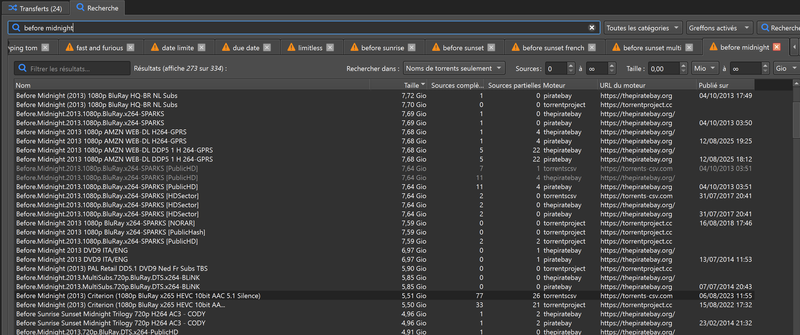
An easy thing to do is make a Download Folder you can easily reach or just put them in your native Download folder!
Now, what will happen is that the program is going to look for other people who have these files. It will then download the files in the torrent from their machines. It will also try to share the parts you have to others who are trying to download. You can go into the settings and change the speed at which you upload and download. This can help keep your network from getting too busy or general internet latency and lag issues.
Torrenting on your phone
Torrenting on your phone is possible! I personally have not checked too many versions myself, but I had good success with the Flud. It's interface is easy to navigate and barely requires a guide. Another one I have heard good things about is LibreTorrent. You'll have to do your own research until I revisit this later!
Now go and seed your torrents. Our power is to share information, entertainment and much more. Stay connected, share and keep your favorite things alive.